Facebook is the most popular social networking platform with over 400 million active users. It is a great tool for free promotion and engaging the general public, and due to this the Facebook Pages have become very popular with all types of organisations and celebrities.
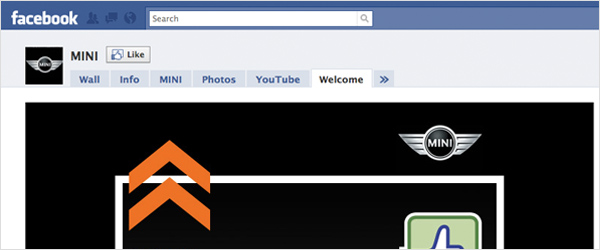
The Static FBML application enables you to add custom boxes and tabs to any Facebook Page, allowing complete customisation of sections using Facebooks markup language; FBML, which is based on HTML. In this post I’ll explain how to install Static FBML and implement it on your very own Page.
Installing Static FBML

Try this link : Static FBML, or search for “Static FBML” on Google. Then add the application to your Page, and you’re done!
Static FBML will store the code but not the media. For example, you don’t have to import any CSS via http links, but you do need to store images on a server and statically link to them. You also don’t need any FBML open or close tags like you do in HTML, you simply wrap your code in a div: e.g. <div id=”body”> </div> and place your CSS at the start of your code inside style tags <style type=”text/css”></style>.
*Update*
Facebook have made some changes, for your tab to work correctly in all versions of IE you must have your CSS hosted on an external server and link to CSS as you would in a normal html document.
E.g. <link rel=”stylesheet” type=”text/css” href=”http://yourserver.com/syles.css” media=”screen”/>
You can create a simple ‘website’ that sits within Facebook, the content of which must be static, but there’s nothing stopping you linking out to other sites and pages. This is all contained within a custom tab with a maximum width of 520px.
Embedding Flash
There are endless ways to use this tab function… I’ve even embedded flash using the following code:
<fb:swf
swfbgcolor=”#000000″
swfsrc=”"
imgstyle=”border-width:3px; border-color:black;”
imgsrc=”" width=”520″ height=”400″ waitforclick=”false” />
You must have a static image that needs to be clicked to launch the Flash, but other then that there are no major restrictions.
Share Button

You can also use the Facebook share function to easily add a share button with the following code:
<fb:share-button class=”url” href=”http://www.linktoshare.com” />
Or a Share button with a shared information set.
<fb:share-button class=”meta” >
<meta name=”title” content=”" />
<meta name=”description” content=”" />
<link rel=”image_src” href=”" />
<link rel=”target_url” href=”" />
</fb:share-button />
There’s lots more information here: http://developers.facebook.com/docs/ and please feel free to ask any questions and share your comments below.
Shortlink:
By Chris Kemm